
FreshBooks Invoicing App
FreshBooks Cloud AccountingBusiness
4.11.43K Reviews
- Version
- 1.24.48
- Installs
- 1.00M
- Age Rating
- Everyone
Screenshots
Our Review of FreshBooks Invoicing App
 Analysis by Appyee
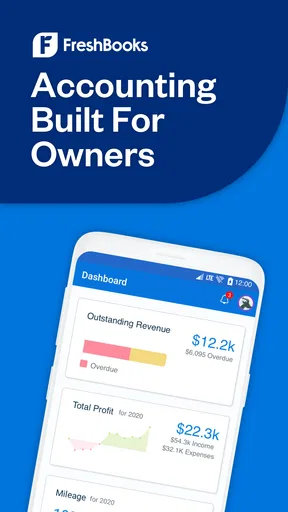
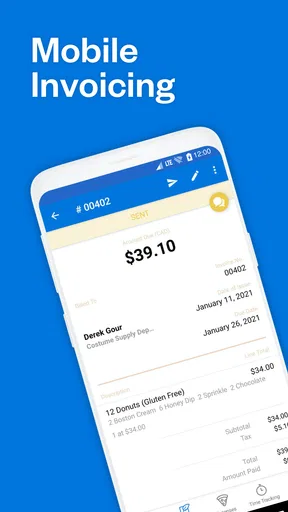
I run a small service business, and the part of the job I’m most likely to postpone is turning finished work into clear, timely invoices. FreshBooks is aimed at making that routine easier to handle from a phone, with invoicing and expense tracking at its core. I see the appeal most clearly for freelancers and small teams who want client billing, time and costs to live in one workflow rather than in a pile of notes and receipts.
Who gets the most from a phone-first accounting tool
I’d consider FreshBooks when work happens away from a desk: a consultant wrapping up a client call, a designer finishing a project, or a tradesperson buying supplies between appointments. Being able to deal with an invoice or expense while the details are fresh can prevent the familiar end-of-week scramble. It is less compelling if you only bill occasionally and already have a simple process that takes little time.
The app is free to install, but that does not mean every part of using it is free. FreshBooks has in-app purchases ranging from $21 to $65 per item, so I would check the current plan and what it includes before building a business routine around it. The right question is not simply whether an invoice can be made, but whether the paid level fits the number of clients, projects and accounting tasks you actually manage.
A useful workflow for turning work into a bill
Here’s the kind of ordinary day where I can see the value: I finish a scheduled client call, review the hours I logged, add the agreed work to an invoice, and send it before moving on to the next job. Later, I photograph a receipt for a project purchase and attach the expense to the right record. The benefit is not magic automation; it is reducing the number of details I have to reconstruct days later.
I would still make a quick review part of that routine. Check the client, dates, item descriptions and totals before sending anything, especially when switching between projects in a hurry. A polished invoice is useful only if the underlying details are right, and a few seconds of checking is cheaper than correcting a confusing bill after a client has received it.
How it differs from simpler alternatives
Compared with a basic invoice-maker app, FreshBooks is more appealing when billing is connected to time, expenses, repeat work and client follow-up. A lightweight tool may be the better choice if all you need is a one-off PDF and a record of whether it was paid. FreshBooks makes more sense when you want those jobs connected, though a broader desktop accounting package may suit a business with more complex bookkeeping needs.
I would also decide where the phone app fits in the wider process. It is convenient for capturing information and handling routine client tasks, but a phone screen is not where I would want to do every careful month-end review. If your work involves detailed reconciliation, complicated reporting or a large volume of transactions, make sure the overall FreshBooks workflow—not just its mobile interface—matches how you keep the books.
Getting Started with FreshBooks
First things first, downloading the FreshBooks Invoicing App was a breeze. Available on both Android and iOS, the app is lightweight and doesn’t hog much space on your device. Once installed, you’re greeted with a clean and intuitive interface that makes onboarding a cinch, even if you’re not tech-savvy.
Easy Peasy Setup
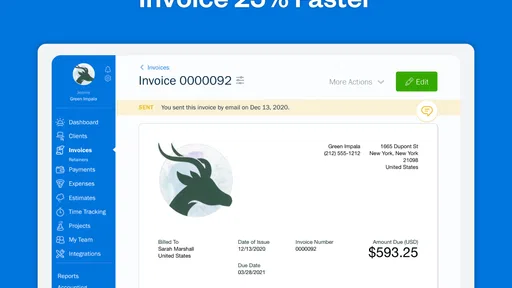
Setting up your account is quick. You’ll need to input your business details, and voila, you’re ready to create your first invoice. What I loved was the ability to customize invoices with my business logo and colors – a small touch that makes a big difference in professionalism.
Features That Stand Out
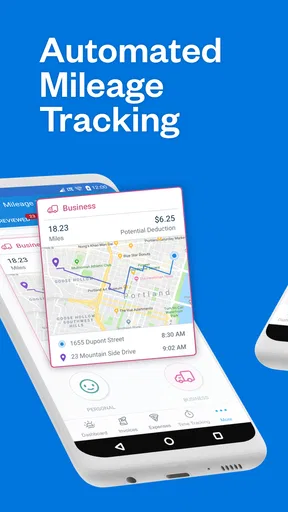
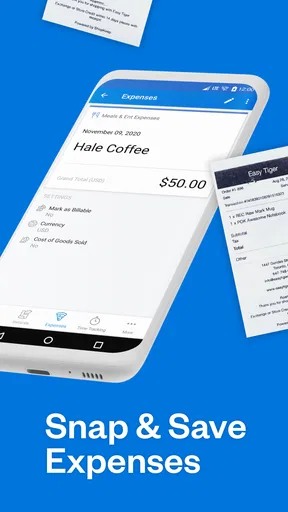
One of the standout features is the time-tracking capability. If you’re billing clients by the hour, this feature is a godsend. Not only does it integrate seamlessly with your invoices, but it also ensures you’re getting paid for every minute of your hard work. Another highlight is the expense tracking. Snap a photo of your receipt, and the app logs it instantly. Goodbye, shoebox full of crumpled receipts!
Recurring invoices are another lifesaver, especially if you have clients on retainer. Set it up once, and FreshBooks takes care of the rest, sending invoices automatically at your specified intervals. It’s like having a personal assistant who never asks for a raise.
Client Management Made Easy
Keeping track of clients is a breeze with FreshBooks. You can store client details, track who’s paid and who hasn’t, and even send reminders for overdue invoices. The client portal is a neat feature, allowing clients to view and pay invoices online, making the payment process straightforward and efficient.
Integrations and Reports
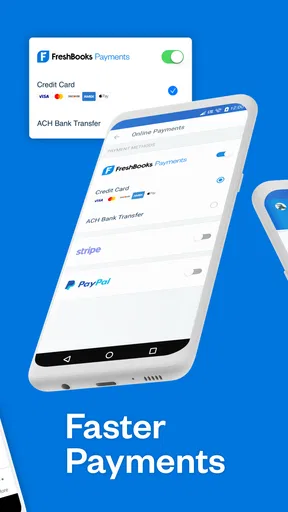
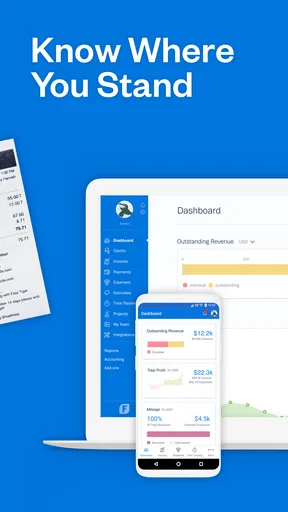
FreshBooks integrates with a range of other apps, from payment processors like PayPal and Stripe to project management tools like Asana. This makes it easy to streamline your workflow and keep everything in one place. The reporting feature is another gem, providing insights into your business finances with just a few taps. From profit and loss reports to tax summaries, it’s all there.
Using FreshBooks Daily
I’ve been using the app for a couple of weeks now, and it’s safe to say it’s made a positive impact on how I manage my business finances. The app is stable, and I haven’t experienced any crashes, which is always a plus. The customer support is responsive and helpful, ready to assist with any queries or issues.
What to check before settling in
FreshBooks is developed by FreshBooks Cloud Accounting and is listed as a business app. Its average rating is 4.3 from around six thousand ratings, with about 1.4 thousand written reviews and more than 500 thousand installs. Those figures suggest it has found an audience, but they do not tell me whether its workflow will suit your business; that depends on how you invoice and keep records.
The app is free to download, is rated for everyone, and its current version is 1.24.40. It has been available since August 29, 2016, and supports Android 8.0 or later. I’d check compatibility on an older device before relying on it for work, and I’d keep the app updated so its current tools remain available. The version number alone does not tell me what changed between releases, so I would not treat it as proof of a particular new feature or improvement.
Small habits that make the app more useful
For hourly work, I’d record time close to when it happens rather than trying to rebuild a week from memory. A short note about the task can make the eventual invoice clearer to a client and easier for me to check. For expenses, photographing a receipt at the point of purchase is more dependable than saving it for later, but I’d still verify the amount and project association rather than assuming a picture has captured every accounting detail correctly.
Recurring invoices are best reserved for stable arrangements. Before setting one up, I’d confirm that the amount, timing and service description still match the agreement, then revisit them whenever the scope changes. Automation saves repeated effort, but it can also repeat an outdated charge if the underlying arrangement has changed. That is a practical trade-off, not a reason to avoid the feature.
When a different setup may be better
FreshBooks may be more than a casual seller needs. If I send only a handful of invoices and do not track billable hours or project expenses, a simpler invoicing tool—or even a carefully maintained template and payment record—could be quicker and less costly. At the other end, businesses with inventory, payroll, multiple approval steps or complex accounting may need a more comprehensive system. I would compare those needs before treating a mobile invoicing app as the whole finance operation.
For a small service business, though, keeping client details, bills, time and receipts connected can be worth more than choosing the tool with the shortest setup. I would try it with one real project first: create the client record, log the work, capture a relevant expense and prepare an invoice. That test reveals whether the routine feels natural and whether the resulting records are useful to you, without forcing an immediate change to every part of your bookkeeping.
Security and Peace of Mind
Security is always a concern when dealing with financial apps, but FreshBooks uses strong encryption to keep your data safe. Plus, regular backups ensure that your information is never lost, even if your device takes an unexpected plunge into the pool.
One thing to note is that while the app is feature-rich, it might be overkill if you’re only sending a few invoices a month. But for freelancers and small business owners managing multiple clients and projects, it’s a powerhouse.
Keeping expectations grounded
I would treat the app as a convenient working companion, not as a reason to stop reviewing financial records. A receipt image and a sent invoice are useful inputs, but good bookkeeping still depends on checking categories, client details and totals. If several people in a business handle billing, agree on a consistent way to name projects and describe work; otherwise, a shared tool can still accumulate records that are hard to interpret later.
Before committing, I’d also look at whether the available subscription level supports the way you expect to use the service. In-app purchase prices range from $21 to $65 per item, and the actual value depends on the plan and business requirements. Think through how many clients you invoice, whether you need recurring bills, and whether time and expense tracking will replace work you currently do elsewhere. That is a more useful comparison than judging the app by its download price alone.
Final Thoughts
So, is the FreshBooks Invoicing App worth it? In my book, absolutely. It’s a comprehensive tool that simplifies invoicing and expense tracking, saving you time and letting you focus more on your work and less on paperwork. Plus, the app’s design and functionality make it a pleasure to use.
If you’re looking for a reliable invoicing app that grows with your business, give FreshBooks a shot. It might just be the financial sidekick you’ve been searching for. Happy invoicing!
Verdict
Strengths of FreshBooks Invoicing App
- User-friendly interface simplifies invoicing.
- Excellent customer support available 24/7.
- Seamless integration with payment gateways.
- Automated reminders improve cash flow.
- Customizable templates enhance branding.
Limitations of FreshBooks Invoicing App
- Limited offline functionality restricts use.
- Higher pricing compared to competitors.
- Mobile app lacks some desktop features.
- Occasional syncing issues with bank data.
- Limited customization in report generation.
Similar Picks in This Category
View All
LinkedIn: Community & Network
LinkedIn3.8

Zoom Workplace
zoom.com4.1

Microsoft Teams
Microsoft Corporation4.6

Meta Business Suite
Meta Platforms, Inc.4.6

Webex Meetings
Cisco Systems, Inc.4.5

TeamViewer Remote Control
TeamViewer4.4
Frequently Asked Questions
What is FreshBooks used for?
FreshBooks is an accounting software designed for small businesses and freelancers. It simplifies the process of invoicing, expense tracking, and time management, allowing users to manage their finances efficiently. The app also offers features like automated payment reminders and the ability to accept credit card payments, making it a comprehensive tool for business management.
Is FreshBooks easy to use for beginners?
Yes, FreshBooks is known for its user-friendly interface that caters to users with varying degrees of accounting knowledge. The app offers a clean and intuitive design, making it easy for beginners to navigate through its features like invoicing, expense tracking, and reporting. Additionally, FreshBooks provides tutorials and customer support to assist new users.
Can FreshBooks integrate with other apps and services?
FreshBooks offers integrations with a variety of third-party apps and services, enhancing its functionality. Users can connect FreshBooks with popular tools like G Suite, PayPal, Stripe, and Shopify. This connectivity allows businesses to streamline their operations by syncing data across platforms, improving efficiency and reducing manual data entry.
Is FreshBooks accessible on mobile devices?
Yes, FreshBooks offers a robust mobile app available for both Android and iOS devices. The app allows users to manage their business on the go, with features like creating and sending invoices, tracking expenses, and viewing financial reports. This mobile accessibility ensures that business operations can continue smoothly, regardless of location.
What are the pricing options for FreshBooks?
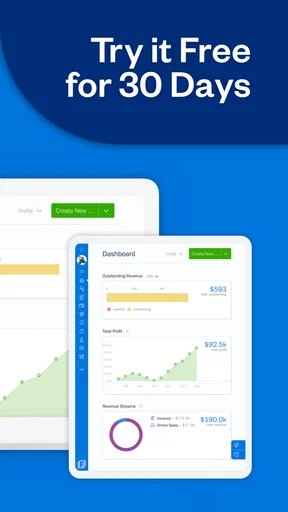
FreshBooks offers a variety of pricing plans to accommodate different business needs, ranging from basic to premium options. Pricing is typically based on the number of billable clients and additional features required. FreshBooks also offers a free trial, allowing users to explore the app's features before committing to a subscription. It's advisable to review the latest pricing details on their official website.
